
Hours, invoices and tax, kept in one place.
F The Hours is a web app for UK freelancers and sole traders. Log your time, turn it into professional invoices, see what you owe HMRC as the year goes on, and export the figures for your Self Assessment.
Free while the beta is open. No card needed.
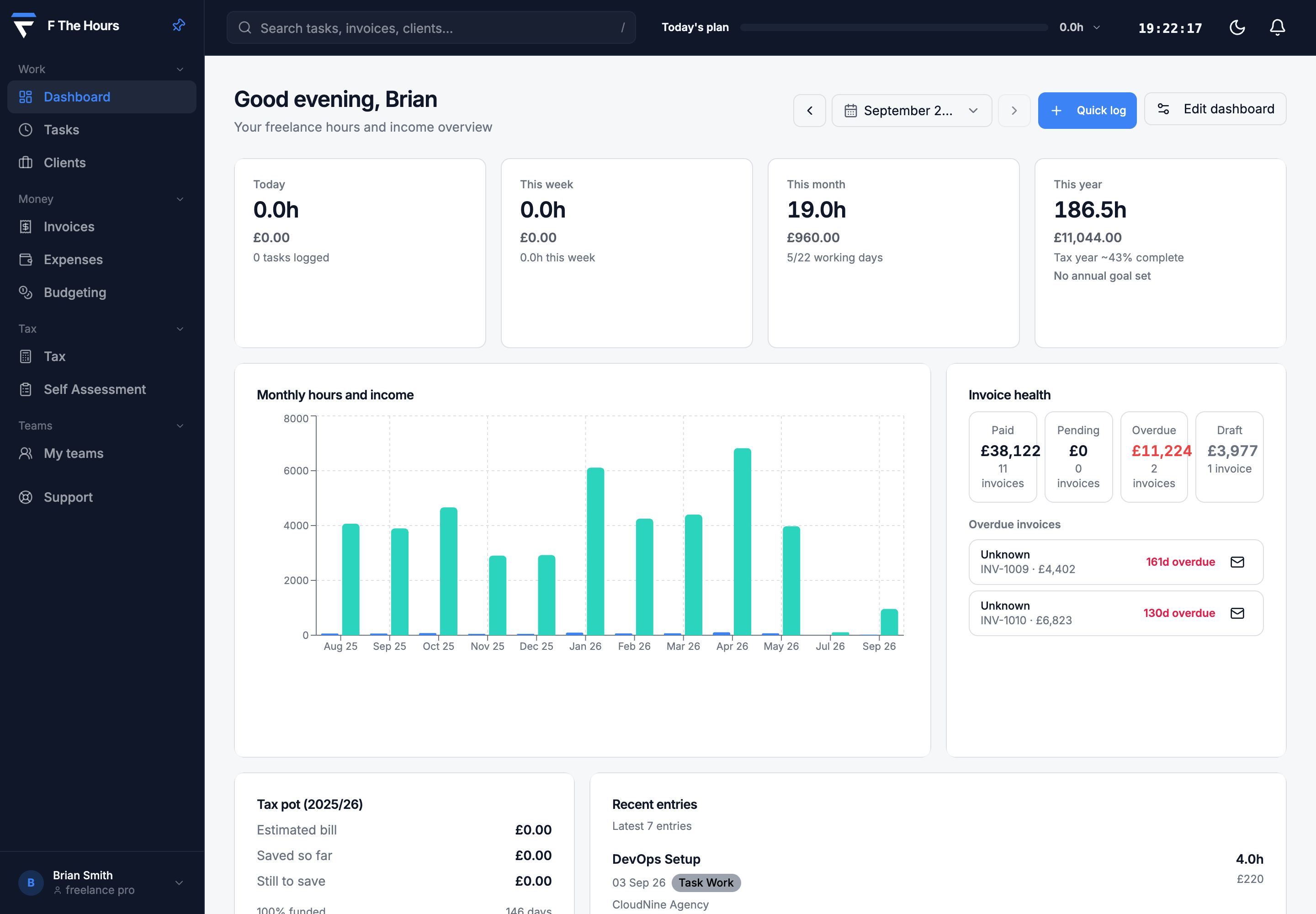
What you get
Five tools that share one set of data, so nothing is typed twice.
01
Time tracking
Log the day in a few lines.
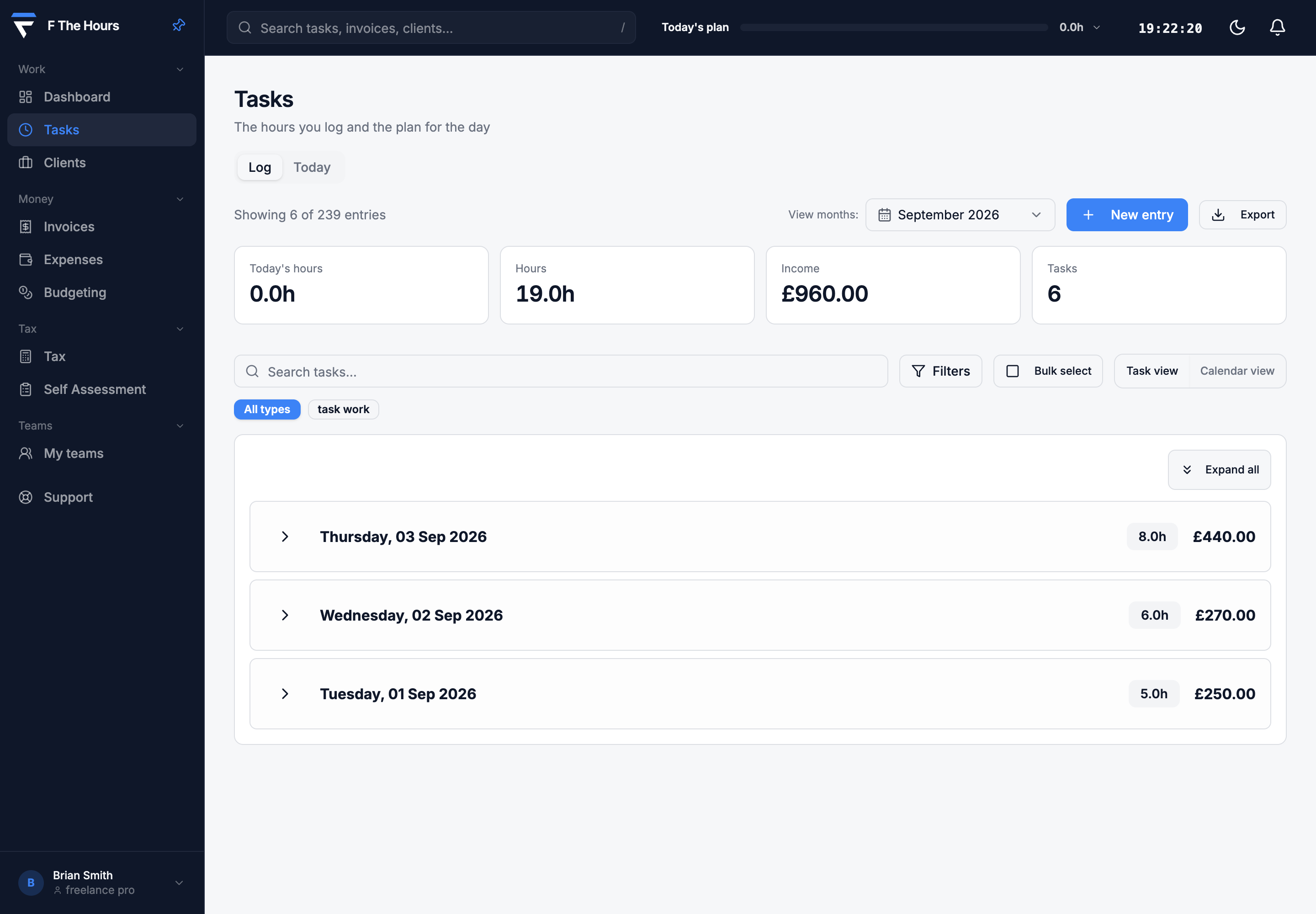
Track time by client, project and task type. See the day grouped or as a flat log, filter and search it, and export it in one click.
02
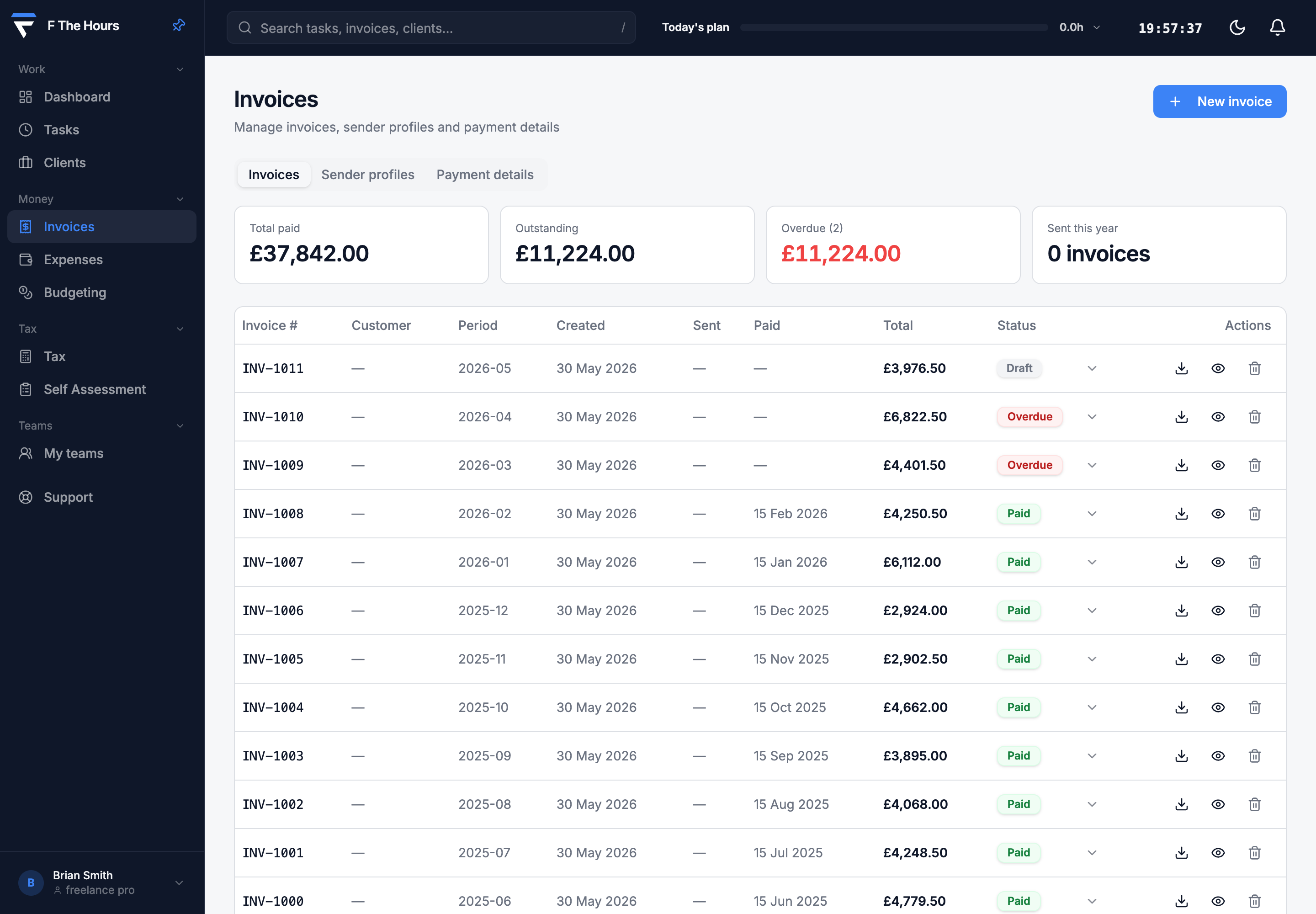
Invoicing
Turn logged hours into a professional invoice.
Generate a clean, branded PDF invoice from the time you logged, with your details, the client’s and a proper invoice number, so it looks like it came from a real business. Track it as sent, paid or overdue, and download it or email it to the client.
03
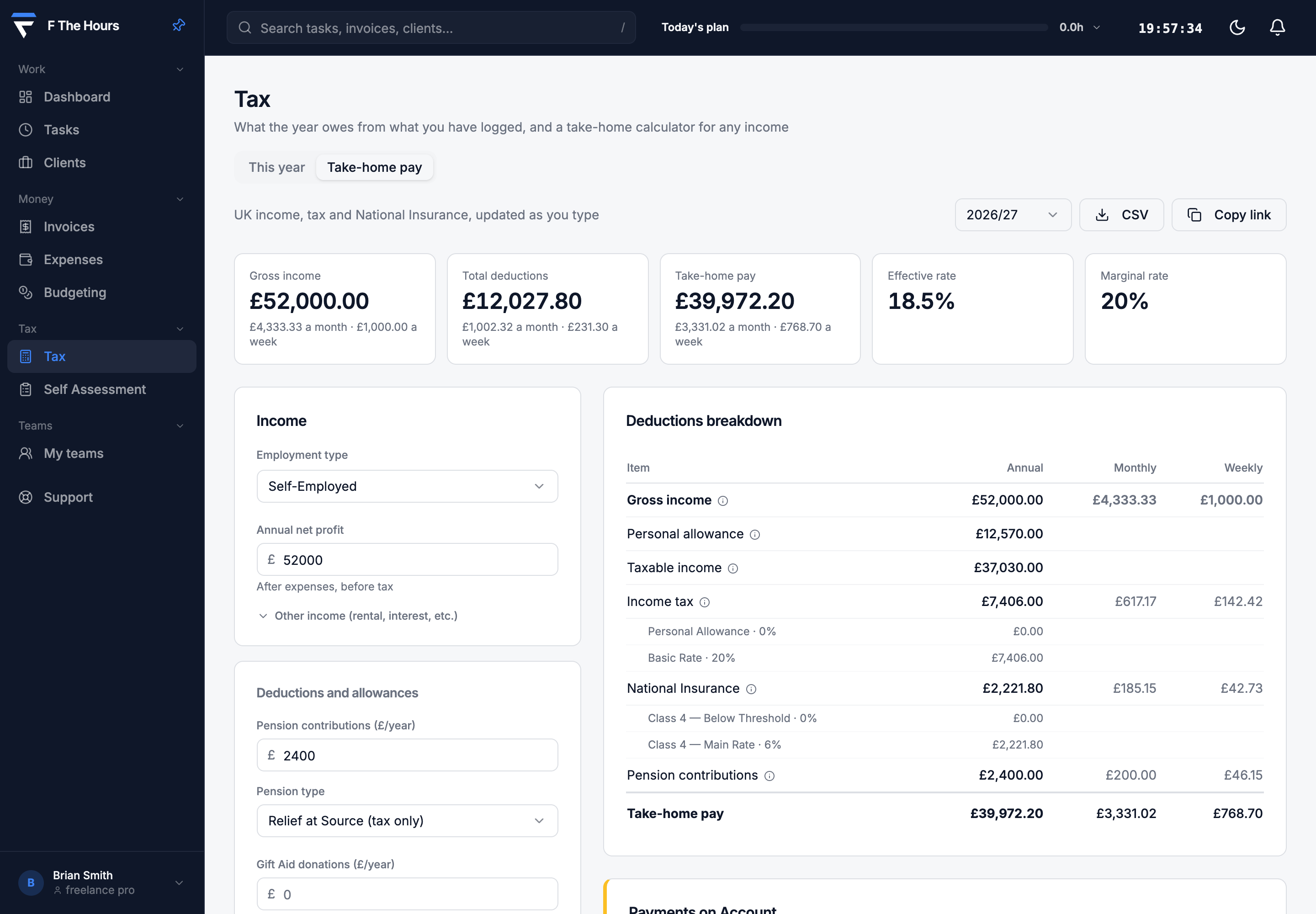
Take-home pay
Know what you keep before you invoice.
Income tax and National Insurance worked out from your actual earnings, for employed or self-employed income, shown by year, month and week.
04
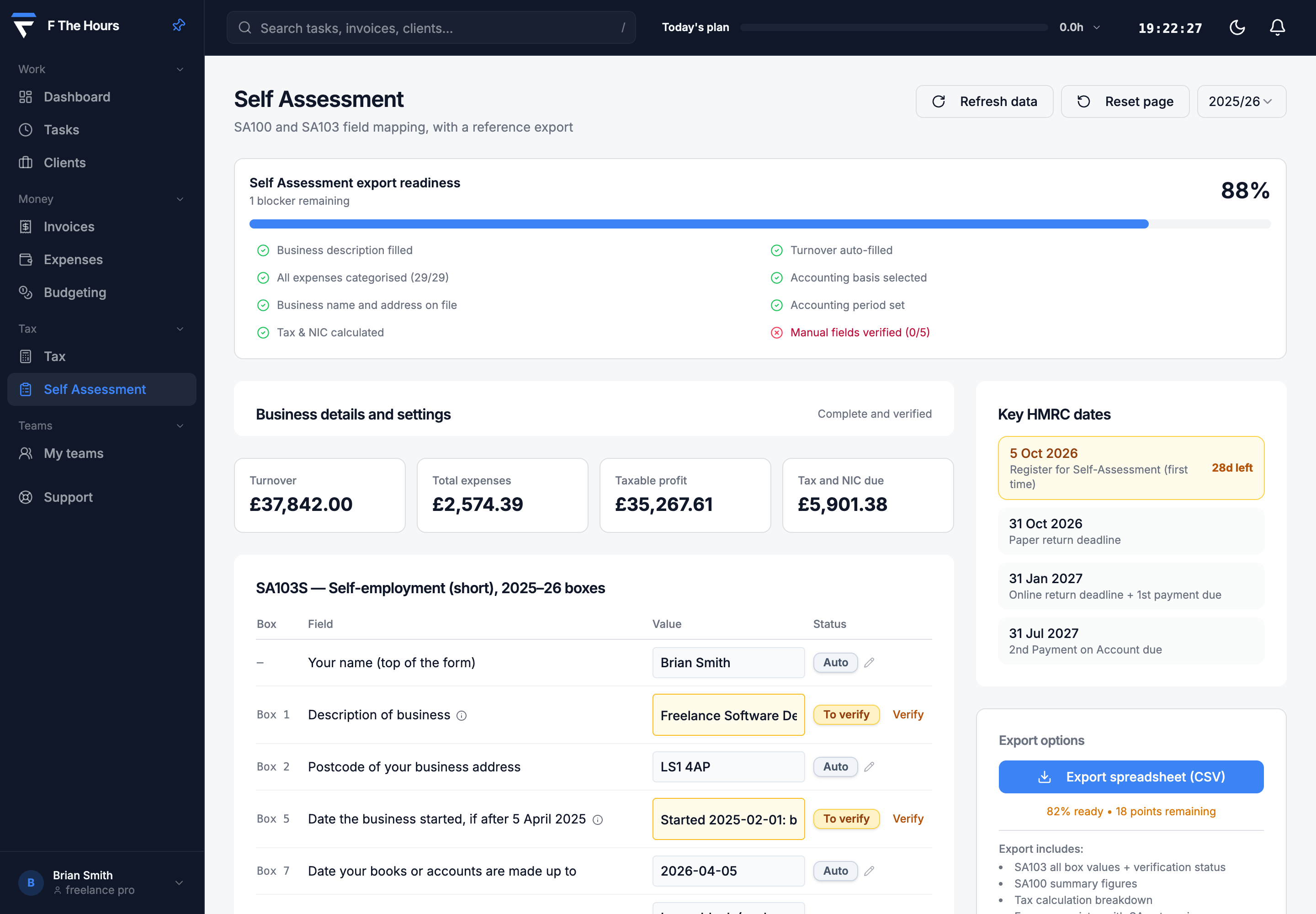
Self Assessment export
The SA103 boxes, filled from your records.
Income and expenses are mapped to the box numbers on the HMRC SA103 self-employment pages. Check the readiness score, fix what is missing, and export a spreadsheet to copy into your return on gov.uk.
05
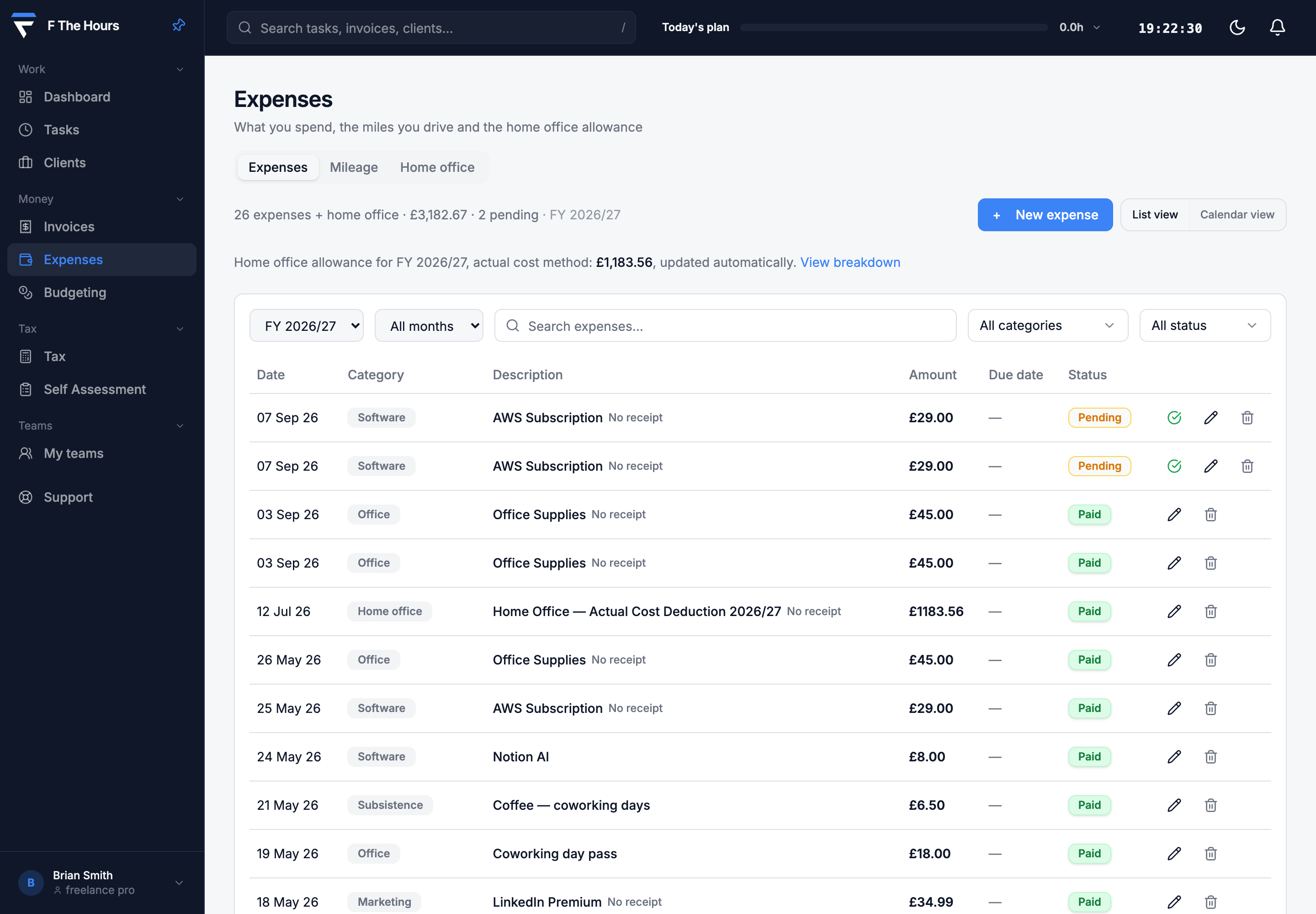
Expenses and mileage
Every allowable cost, categorised.
Log expenses under categories HMRC recognises, record mileage at the HMRC approved rates, and add home office allowances. Everything feeds the tax estimate.
How a month goes
There is no setup project. You use it in three moments.
01 · Each evening
Log the day
Add what you worked on, for which client, and for how long.
02 · Month end
Send the invoice
Make a clean, branded invoice from the logged hours and send it. The client gets a professional PDF.
03 · Any time, and January
Know the tax
Open the tax page to see what you owe so far. In January the Self Assessment boxes are already mapped.
See what you would keep
Enter a year of self-employed profit. The maths is the same as the app uses.
Where you pay tax
- Take-home for the year
- £32,868.20
- Income tax
- £5,486.00
- Class 4 National Insurance
- £1,645.80
- Effective rate
- 17.8%
- About each month
- £2,739.02
An estimate for 2026/27 that assumes self-employed profit is your only income. Not tax advice.
Plans
Every plan is free while the beta is open. These are the prices when billing starts.
| Included | Starter£3.99a month | Pro£8.99a month, or £79 a year | Business£19.99a month, two seats included |
|---|---|---|---|
| Today’s tasks and the task log | |||
| Projects and clients | Included | Unlimited | Unlimited |
| Take-home pay calculator | |||
| Tax calculator | |||
| Invoices and PDF export | |||
| Expenses | |||
| Mileage log | |||
| Home office tracking | |||
| Self Assessment export | |||
| Advanced analytics | |||
| Team seats | 2 included, then £3 a month each | ||
| Admin dashboard and team reporting | |||
| Role-based access |
No card is needed during the beta.
A note from the founder
I am a freelancer, and I built F The Hours because I was doing all of this in spreadsheets. It is the tool I use for my own hours, invoices and tax.
It is free while the beta is open, every feature on every plan, with no card. Some things are not built yet: VAT, CSV import and Making Tax Digital submissions are on the roadmap, not in the product. Nothing you enter is sold or used to train anyone’s AI, and you can export it all as JSON or delete your account yourself at any time.
If something is wrong or missing, email me. You will get a reply from the person who wrote the code, usually within a working day.
The founder, F The Hours
Questions
- Is this designed for UK freelancers specifically?
- Yes. The tax calculations use UK income tax bands, National Insurance classes and the HMRC approved mileage rates. The Self Assessment export maps to the box numbers on the HMRC SA103 self-employment pages.
- Can I use this instead of an accountant?
- Many self-employed people with straightforward income file their own return, and the export is built to give you the figures to do that. It is not tax advice. If anything about your situation is unusual, or you want a second pair of eyes, hand the export to an accountant and save them hours of work.
- Does it handle VAT?
- Not yet. VAT tracking is on the roadmap. The product covers income tax and National Insurance through Self Assessment.
- What is the difference between the Starter and Pro plans?
- Starter, at £3.99 a month, covers time tracking, today’s tasks, projects and clients, and take-home pay, with limited rows on the other tools. Pro, at £8.99 a month, unlocks unlimited invoicing, the full Self Assessment export, mileage, expenses and home office allowances. Everything is free while the beta is open.
- Can I import data from another tool?
- You can add previous invoices and expenses by hand. Import from CSV is on the roadmap.
- Is my financial data secure?
- Data is encrypted in transit and at rest. It is never sold, and it is not shared beyond the providers that run the service, which are listed in the privacy policy.